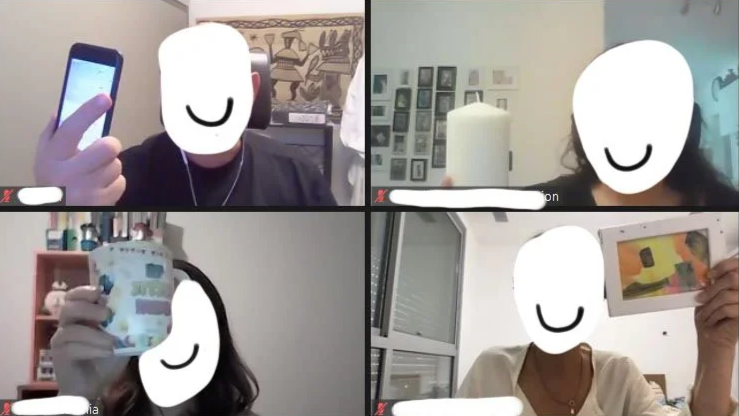
Energizers are the glue that keeps your agenda together, especially virtually.
Energizers should always have a purpose.
One of my colleagues, Brian Tarallo (Lizard Brain), likes to say that facilitated group energizers serve three purposes:
Build connection.
Test the technology.
Model the behavior.
Build Connection: Connection is key. When people feel connected to each other, they can focus and engage with the task at hand. Plus it's fun! We all need a little more play right now. Play, or doing things just for the sake of enjoyment, helps us find new perspectives and generate new thinking, skills that are critical for innovation in our work.
Test Technology: Energizers allow participants to test the technology. By unmuting and giving a brief introduction, participants build their confidence in using their video conferencing tool, so that when it's critical to speak up, they can.
Model Behavior: Lastly, energizers model the behavior participants are about to experience. You don't start a workout in a full sprint. Meetings are the same. Use an energizer to prepare participants and get in the right mindset for what they are about to experience. For example, if participants need to brainstorm a new product, they might first practice making virtual Post-it notes, because they need that skill to brainstorm.
Do Now: Tasks to Prepare
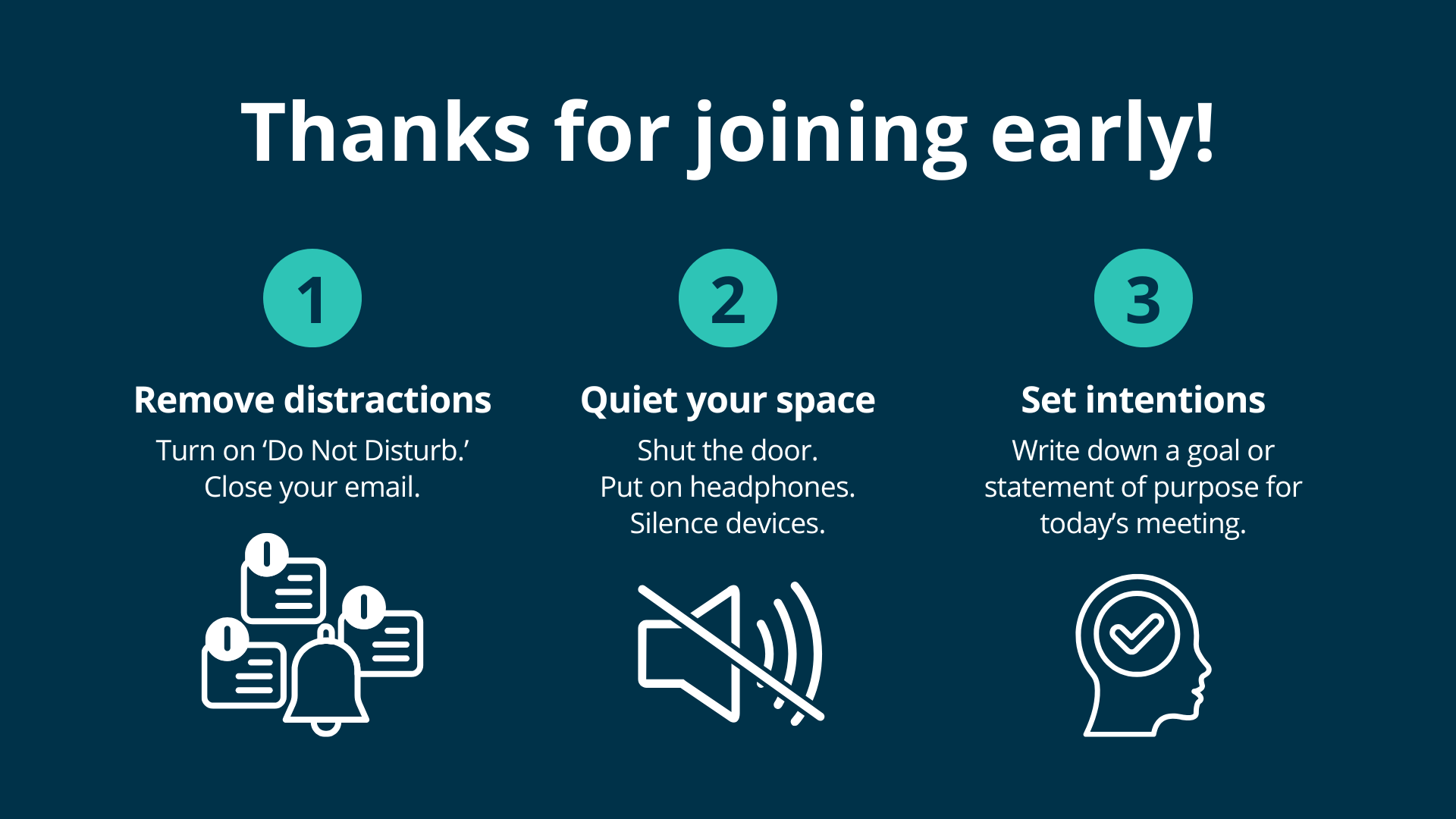
Welcome participants who join early by having one or more prompts on the screen for them to “do now” while others join the call. This helps participants focus and orient their minds to the topic and goals of the meeting.
Prompts may include:
Eliminating a distraction
Preparing their space
Setting intention for the meeting
Reviewing notes from the previous session
Exploring a virtual tool that will be in use during the call
Adjusting Zoom or computer settings
TIP: Make space in your agenda for everyone t0 or complete the task and share in the first few minutes of the call.
Virtual Name Tag
Our virtual name tag is our name as it shows up when we log in to video conferencing programs like Zoom. In many programs, you can change your name, a helpful feature when it comes to energizers. It takes only a moment and works well as a check-in and warm-up activity.
You can invite a name change for anything that will help bring a group together, establish individual identity, or opt into breakout topics.
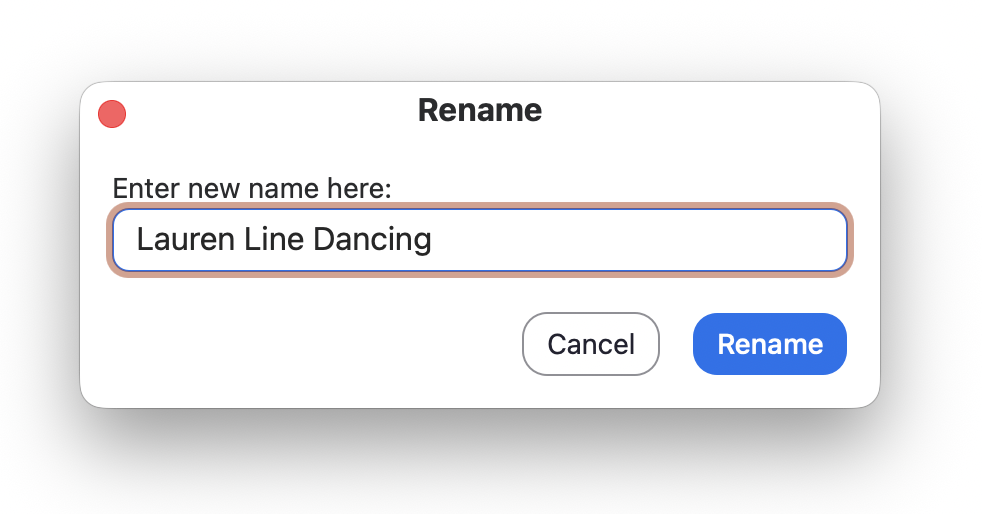
Here are some prompts we like:
Your first name plus something you could talk about for hours
Your first name plus something you're grateful for
Your first name plus your personal superpower (now you know who to go for sourdough starters and having difficult conversations)
Your first name plus a greeting in your native language (you might be surprised)
Change your name to "anonymous" - now non-attributional brainstorming in chat is possible
➡️ How to Change Your Name in Zoom
Self-Facilitated Introduction
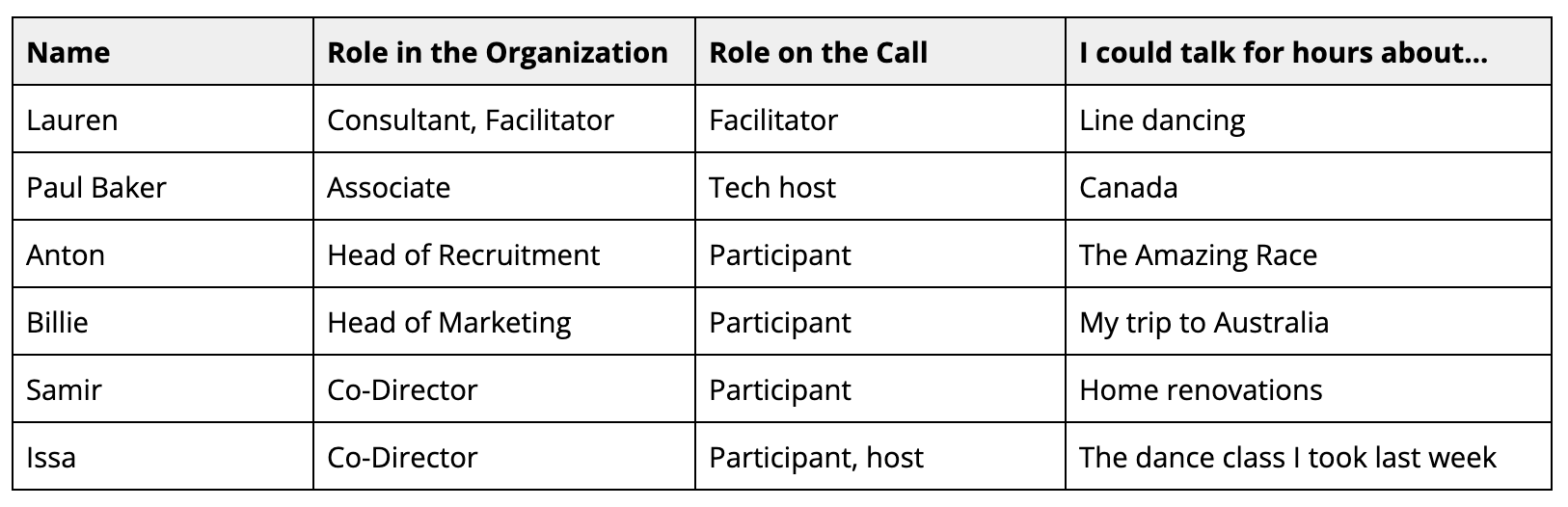
Have participants write their personal introduction in a shared document or virtual whiteboard. Include a list of information to include, or prepare a table with columns to fill in.
Invite participants to unmute and introduce themselves in order from top to bottom. This reduces the drag of the facilitator having to call on people one-by-one and quickens introductions because everyone has had a chance to think through what they will say.
We recommend including columns for their name, job title/role, their role in the call, and something fun, such as “I could talk for hours about,” “My latest snack obsession,” or any of the name tag prompts above.
TIP: Ask participants to start typing a few lines down to reduce collisions from typing over each other.
Show and Tell
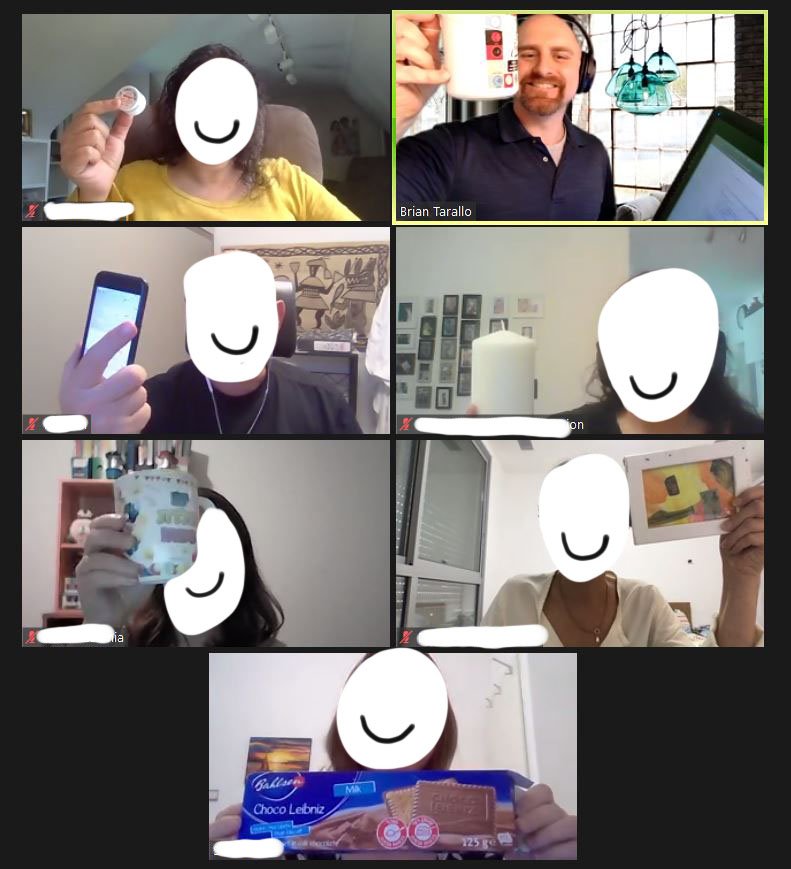
No matter what age you are, everyone loves show and tell, from the CEO to the IT guy. A show and tell livens up the energy and builds group cohesion quickly.
Invite participants to take a few minutes and find an object in response to a prompt. One by one, participants unmute themselves, share the object, and explain why they chose it.
These prompts can vary from specific to abstract:
Share an object that holds meaning for you.
Share an object that describes your current state.
Share an object that describes your desired future state.
Share an object that makes your life easier.
Speak to something happening or visible outside your window or workspace (point the camera, if possible).
Select two objects. What could you make with functions or qualities of these two objects? What purpose would it serve and for whom? (This is a great design-thinking energizer.)
Pick a random object (don’t tell them why right away). Once everyone has their object, ask them to relate it to the purpose of the meeting.
TIP: Not everyone has the luxury of a home office. Cue this up by using the word "workspace" instead of "desk" or "office."
Virtual Visual Explorer

Visual Explorer is an activity from the Center for Creative Leadership where participants select an image or images that represent how they feel about a topic.
A picture is worth a thousand words, and it's phenomenal how much insight emerges when participants give meaning to something visual. It also helps the facilitator or leader sense where people are in an approachable, non-invasive way.
To do this virtually, present several images for participants to choose from, either using a screen share or a program like Mural, Canva, or Google Documents. Images can easily be sourced within these programs, and you can also invite participants to find and add their own.
Instead of asking how participants feel about a topic, you could ask, “If you could be anywhere right now, where would you be?” or, “What image describes how you’ve felt in the last year?”
DARESAY’s check-in generator is a great tool for finding fresh check-in questions and visual explorer prompts.
Looking for more energizers?
Our facilitation resource page is filled with links to training, books, and tools from our colleagues and other experts.
Visit the page, find “Method Libraries” under “Tools and Methods,” and click on an ice cream cone to discover even more meeting icebreakers and energizers.